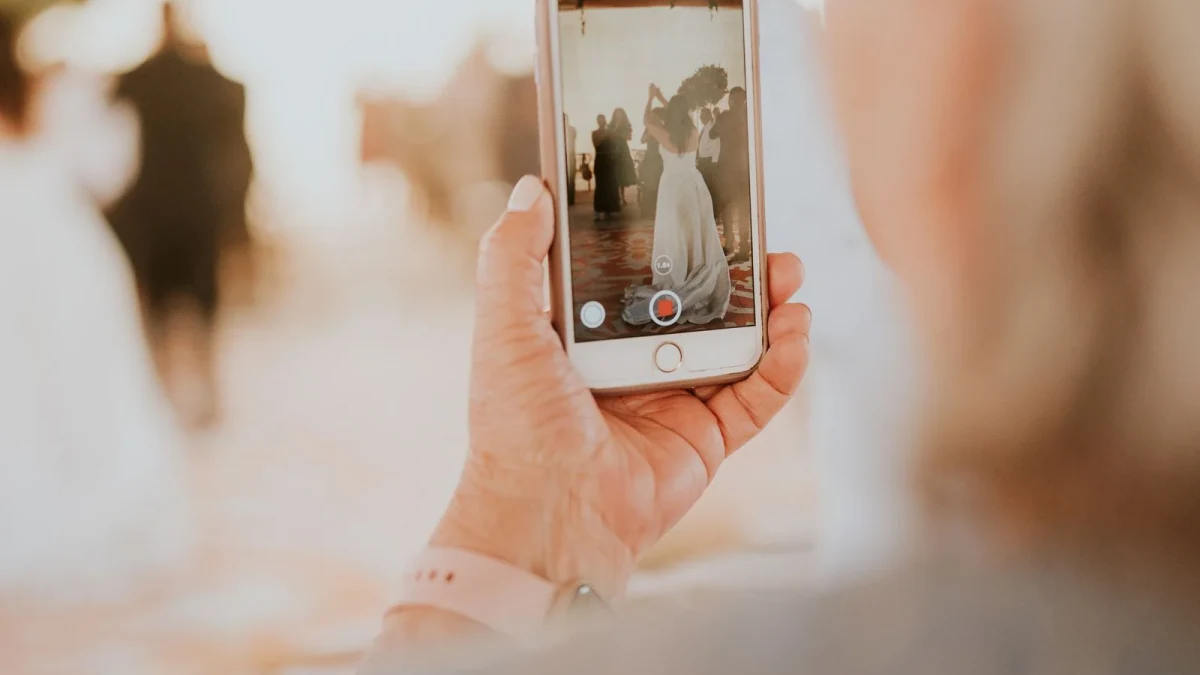

Take a look at the phone in your pocket. Modern smartphones feature cinematic 4K sensors, optical image stabilization, 10-bit HDR color processing, and 60fps recording capabilities that rival commercial film gear from a decade ago.
During your wedding, your guests will record breathtaking moments: * The groom whispering a private joke to his bride as they walk back down the aisle. * The uninhibited dance battle between your college roommates. * A tearful hug between your parents during the slow dance.
Yet after the wedding, when guests attempt to send these videos over iMessage, WhatsApp, or Instagram DM, the results are heartbreaking. The crisp 4K 60fps footage is crushed into a blurry, stuttering 360p video that looks like it was filmed through a fish tank.
Here is why that compression happens—and how to collect every guest video in full-resolution 4K quality with zero headaches.
The Smartphone 4K Video Revolution
A typical 30-second 4K 60fps video recorded on an iPhone 15/16 or Samsung Galaxy S24 produces a file between 150 MB and 350 MB.
These files contain: * Uncompressed spatial stereo audio that captures real laughter, clinking glasses, and bass frequencies. * Ultra-smooth high frame rates (60fps) that can be slowed down into dramatic slow-motion clips. * Full dynamic range colors that match your professional videographer's color grading palette.
When collected properly, guest smartphone footage provides an extraordinary "second angle" that professional videographers often love integrating into documentary wedding films.
Why Texting & Social Media Ruin Wedding Videos
Why do shared videos look so terrible? * Cellular MMS Limits: Traditional MMS text messaging enforces a hard file cap between 1 MB and 3 MB. To push a 250 MB 4K video across an MMS network, carrier algorithms compress the file by 99%, destroying sharpness and audio clarity. * Social Media Compression: Instagram, TikTok, and Facebook immediately transcode video uploads into aggressive 1080p or 720p H.264 formats to save CDN bandwidth. * Storage Paywalls: Services like Google Drive or Dropbox require guests to create accounts and authenticate before uploading large files, causing over 80% of guests to abandon the upload.
The Cross-Platform iOS & Android Nightmare
Even with Apple's recent adoption of RCS messaging, cross-platform video sharing between iPhone and Android remains notoriously buggy. Videos sent between mixed mobile operating systems frequently suffer from desynchronized audio, dropped frame rates, and washed-out HDR highlights.
Your wedding guests will include a 50/50 mix of iOS and Android users. Any solution that requires specific apps or proprietary mobile features will alienate half of your attendees.
How WedShare Preserves Raw 4K Video Uploads
WedShare solves this by operating entirely inside standard mobile web browsers (Safari, Chrome) via direct cloud storage pipelines:
- Direct Camera Roll Selection: Guests scan the table QR code and tap "Upload Video". Their phone opens the native camera roll, allowing them to select raw, full-size files.
- Chunked Direct-to-Cloud Uploads: Files upload directly to secure AWS cloud storage in resilient data chunks. If a guest steps away or temporary Wi-Fi blips occur, the upload resumes automatically without restarting.
- Bit-for-Bit Preservation: WedShare never downsamples, recompresses, or alters your guests' original video files. When you download your gallery, you receive the exact master file recorded by the phone sensor.
- Massive Capacity Included: While competitor platforms restrict video uploads to short 15-second clips or charge recurring monthly fees, WedShare Complete includes up to 50,000 photos and videos with files up to 2GB each for a single one-time payment of $59.99.
Creative Uses for Guest Videos Post-Wedding
Once you have your complete library of 4K guest videos, here are three incredible ways couples use them: * The "Unfiltered" Highlights Reel: Send the raw video files to your wedding videographer. Many editors will create an unforgettable 3-minute montage of guest perspectives set to your favorite dance song. * First Anniversary Time Capsule: Re-watching spontaneous 30-second clips recorded by your friends at midnight is the closest thing to stepping into a time machine back to your wedding night. * Preserving Lost Speeches: If your videographer only had one microphone near the head table, guest videos capture the reactions, laughing side-comments, and table applause that would otherwise be lost forever.

See how guest photo sharing works
Try the sample guest experience before choosing a plan. Your printable resources remain free to use.
Frequently Asked Questions
Is there a limit on how long each guest video can be on WedShare?
WedShare supports video files up to 2GB each, which easily accommodates several minutes of continuous 4K 60fps recording.
Can Android and iPhone users both upload without issues?
Yes! Because WedShare runs in standard web browsers, it works flawlessly on both iOS (Safari) and Android (Chrome) without any compatibility conflicts.
Do guests need high-speed Wi-Fi to upload videos at the venue?
While venue Wi-Fi is great, WedShare works seamlessly over standard 4G and 5G cellular connections. Guests can also scan the QR code to bookmark the link and upload longer videos when they return to their hotel.
How do we download the raw 4K video files after the wedding?
From your couple host dashboard, you can download individual files or click "Download All" to receive an organized master ZIP file containing all raw, uncompressed 4K videos.